Daily expenses
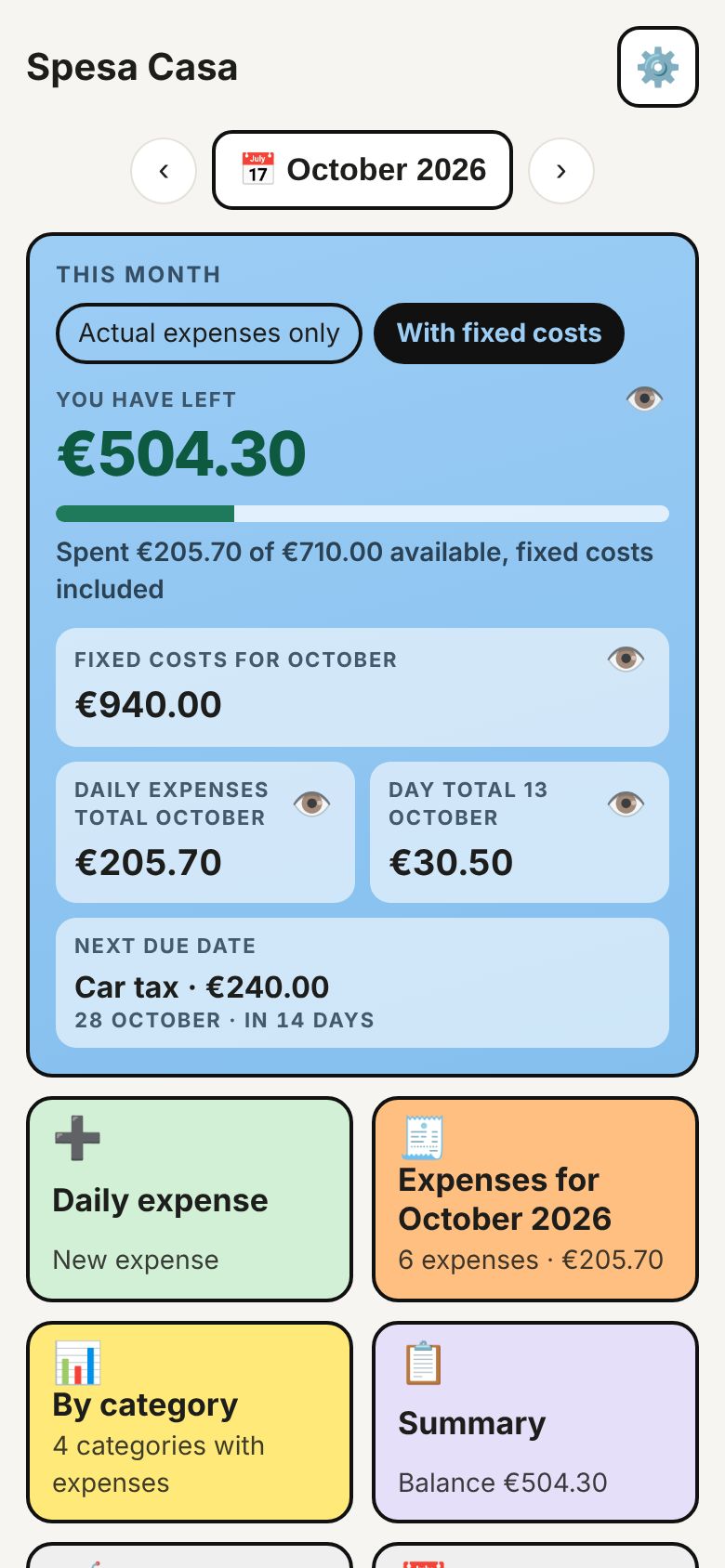
Add an expense in two taps. The app keeps the day and month totals, split by category.
Spesa Casa brings together your salary, everyday spending, bills and due dates. Open the app and you see the number that matters: how much you can still spend.
Free with ads. Ad-free from €0.99 a month.
Made for people who want their household budget in order without spreadsheets. Large type and colour-coded boxes, readable even without glasses.
Add an expense in two taps. The app keeps the day and month totals, split by category.
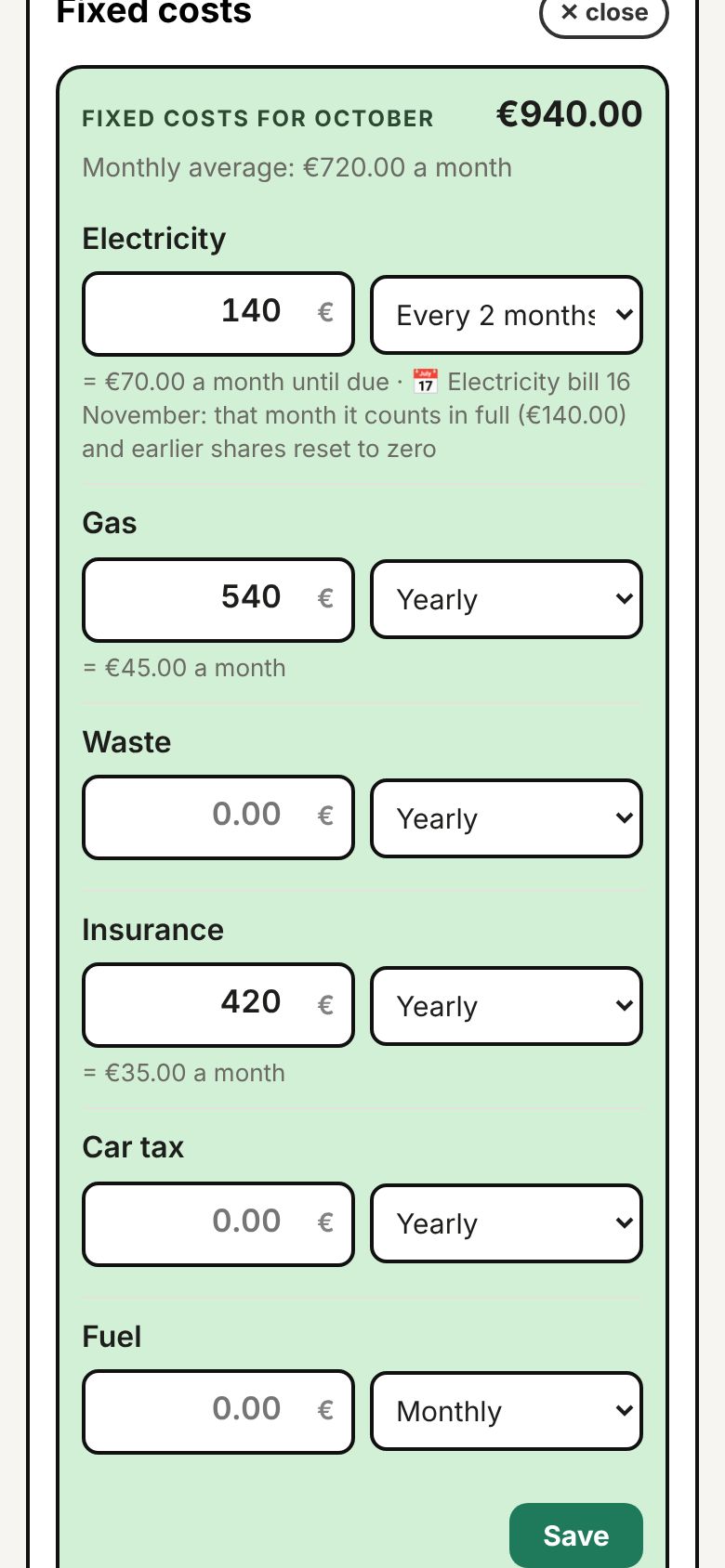
Rent, electricity, gas, insurance: enter the amount and how often you pay, and the app works out the monthly share.
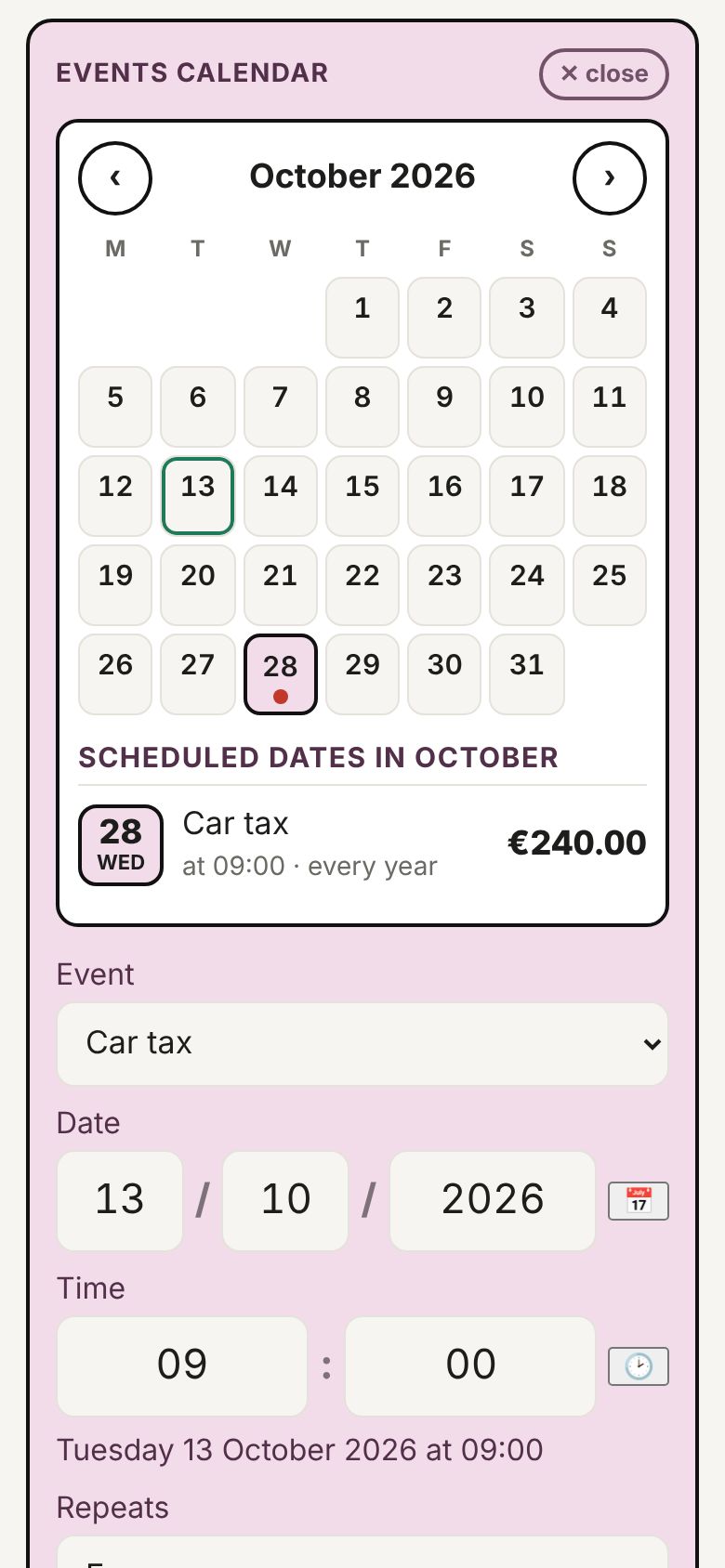
Mark car tax, bills and instalments. On the due date an alert appears and stays until you confirm the payment.
Write what to buy and the app groups food and household items for you. Items stay until you tick them off.
Whatever is left at the end of the month moves to the next one. If you overspend, you see it straight away.
English, Italian, German, French, Spanish, the European languages, Japanese, Chinese, Korean and Hindi.
Car tax is paid once a year but weighs on the whole year. Spesa Casa spreads it over the months before the due date; in the month it falls due it counts the full amount and clears the shares set aside before.
When you pay, tap “I confirm the payment”: the item is marked as paid and the month's amount left to pay goes down.
| August monthly share | €20.00 |
| September monthly share | €20.00 |
| October due: full amount | €240.00 |
| August and September after payment | €0.00 |
Under two minutes with the real app: payment alert, new expense, spending calendar with daily detail, fixed costs, due dates, shopping list and languages.
The video voice and captions are in Italian; the app itself is available in 40 languages.
Swipe left to see more →
Every feature is included in the free version. The subscription only removes the ads.
Payments and cancellations are handled by Google Play. Prices include Italian VAT; in other countries Google Play shows the price in your local currency.
It stays on your phone. Spesa Casa has no server and never receives your expenses, amounts or salary.
In Settings, tap “Show backup”, copy the text and paste it into “Restore” on the new phone.
In Google Play: Profile → Payments & subscriptions → Subscriptions → Spesa Casa → Cancel. Ads come back when the paid period ends.
No. You enter expenses yourself. This is deliberate, so no banking data ever passes through the app.
Yes. They are notifications created on the phone itself, with no internet connection involved.